
 Čeština
 Polski
- New

Blood DNA isolation
No sample preparation
16-sample plates
Description:
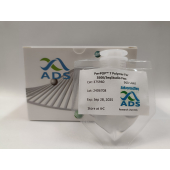
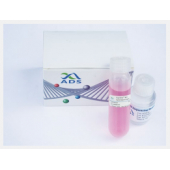
MagnifiQ 16 Blood Direct instant kit is designed for automated magnetic isolation of genomic DNA from blood samples in a 16-samples-per-plate format. It contains ready-to-use, reagent-filled plates and all necessary consumables. The isolation process does not require any prior sample preparation. The MagnifiQ product series is based on automated nucleic acid isolation using magnetic beads. According to the manufacturer, this approach significantly shortens working time and reduces the risk of error compared to manual methods. The isolated material is, according to the manufacturer, suitable for downstream analysis by PCR and real-time PCR as well as for sequencing. The manufacturer also states a simple and fast isolation procedure, repeatable results and high isolation efficiency.
Features:
Applications:
Kit contents:
Specification:
| Parameter | Value |
|---|---|
| Protocol time | approx. 45 min |
| Sample type | blood: fresh or frozen |
| Sample size | up to 200 µl |
| Elution volume | 100 µl |
| Elution solution | Tris buffer |
| Binding capacity | 30 µg DNA |
| Downstream applications | qPCR, RT-PCR, sequencing |
Protocol files:
| Device | Protocol name | Installation |
|---|---|---|
| Auto-Pure Mini | MQ-BLX-MI | 1. Create a folder “items” on a USB drive and copy the protocol file to it. 2. Insert the USB drive into a USB slot on the device. 3. On the device screen, go to Settings > System > Transfer > Import. 4. Select the protocol and tap “Import”. |
| Auto-Pure Mini | MQ-BLX-MI | 1. On the device screen, go to Run. 2. Scan the QR code with the device’s scanner. |
| Auto-Pure 32A | MQ-BLX-32A | 1. Create a folder “items” on a USB drive and copy the protocol file to it. 2. Insert the USB drive into a USB slot on the device. 3. On the device screen, go to Settings > Im.&Export > Import. 4. Select the protocol and tap “Import”. |
| Auto-Pure S32 | MQ_BLX_S32 | 1. Create a folder “im_export_protocols” on a USB drive and copy the protocol file to it. 2. Insert the USB drive into a USB slot on the device. 3. On the device screen, go to Protocols > Import. 4. Select the protocol and tap “Import”. |

Optimized for DNA sequencing and fragment analysis
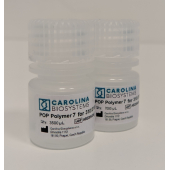
Even peak separation, even with long reads
Cost-effective solution
Cost savings
Easy integration
High performance
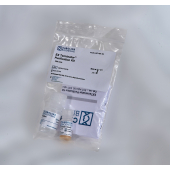
The EX Terminator™ Purification Kit is intended for removal of unincorporated dye terminators and other inpurities.
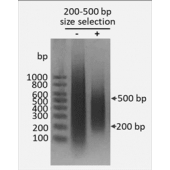
DNA size 200-500 bp
Magnetic bead technology (SPRI)
Single or double-sided selection
Easy to use
RFID tag
Reusable
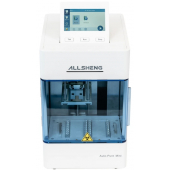
automatic magnetic purification
1 - 16 samples/run
200 x 260 x 300 mm, 7 kg
96 deep-well V-bottom plates
Multiplex amplification of 17 loci in a single reaction
Complete profile even from a small amount of DNA
Wide range of DNA sources
Blood DNA isolation
No sample preparation
Strip format
Quantification of dsDNA
For use with Qubit™ fluorometer
Linear range: 4-2000 ng dsDNA
Blood DNA isolation
No sample preparation
16-sample plates