
 Čeština
 Polski
Description:
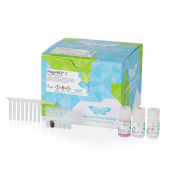
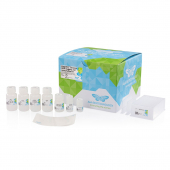
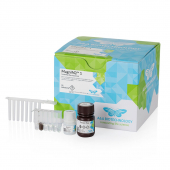
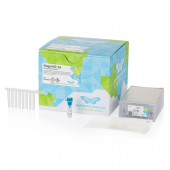
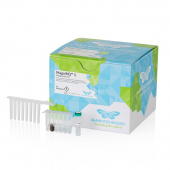
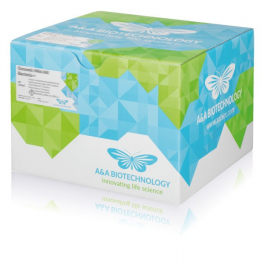
MagnifiQ 1 ExTerminator instant kit is designed for automated magnetic removal of nucleotide dye terminators from cycle sequencing reaction products in a strip format. It contains ready-to-use, reagent-filled strips and all necessary consumables. The strip format enables purification of a single sample per run. The kit is intended for rapid and reliable cleanup before capillary electrophoresis sequencing. According to the manufacturer, the purified material is suitable for analysis on automated DNA sequencers including ABI3100, SeqStudio and other genetic analysers capable of resolving BigDye terminator chemistries. Like previous ExTerminator kits from A&A Biotechnology, this product also provides visual control of the purification process by means of Mix Blue reagent. According to the manufacturer, no initial preparation of buffers is required: it is enough to add the sequencing reaction products to the strip and the purified material, free of unincorporated dye terminators, is available after approximately 23 minutes.
Features:
Applications:
Kit contents:
Specification:
| Parameter | Value |
|---|---|
| Protocol time | approx. 23 min |
| Sample type | cycle sequencing PCR products |
| Sample size | up to 20 µl |
| Elution volume | 50 µl |
| Elution solution | ultrapure water / deionised formamide |
| Binding capacity | 10 µg DNA |
| Downstream applications | capillary electrophoresis: Sanger DNA sequencing, plasmid sequencing, microbial species identification, SNP genotyping, CRISPR-Cas9 genome editing analysis |
Protocol files:
| Device | Protocol name | Installation |
|---|---|---|
| Auto-Pure Mini | MQ-EXT-MI | 1. Create a folder “items” on a USB drive and copy the protocol file to it. 2. Insert the USB drive into a USB slot on the device. 3. On the device screen, go to Settings > System > Transfer > Import. 4. Select the protocol and tap “Import”. |
| Auto-Pure Mini | MQ-EXT-MI | 1. On the device screen, go to Run. 2. Scan the QR code with the device’s scanner. |
| Auto-Pure S32 | MQ_EXT_S32 | 1. Create a folder “im_export_protocols” on a USB drive and copy the protocol file to it. 2. Insert the USB drive into a USB slot on the device. 3. On the device screen, go to Protocols > Import. 4. Select the protocol and tap “Import”. |

Blood DNA isolation
No sample preparation
16-sample plates
Bacterial lysis
Gram-negative and Gram-positive
Add-on kit
Plant DNA isolation
96-sample format
Automated isolation
Blood DNA isolation
Up to 1000 µl sample
Minicolumn format
Universal DNA isolation
Strip format
No buffer preparation
Trace DNA
Magnetic isolation
Strip format
Universal DNA isolation
Plate filling reagents
16 and 96 formats
Total RNA isolation
Strip format
No buffer preparation
Universal DNA isolation
Maxicolumn format
Isolation with precipitation