
 Čeština
 Polski
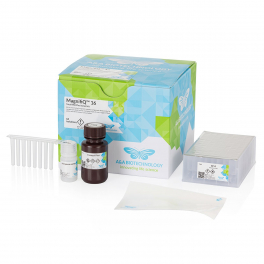
Total RNA isolation
16-sample format
No buffer preparation
Description:
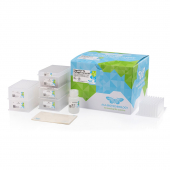
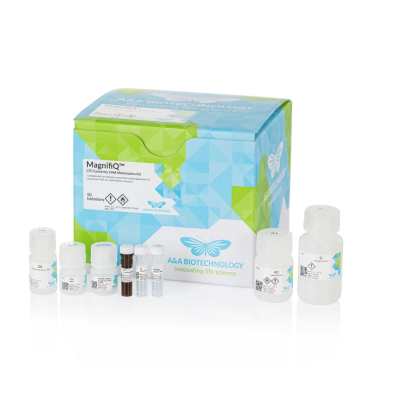
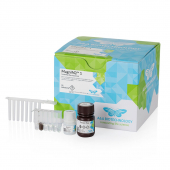
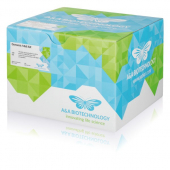
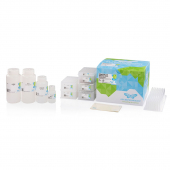
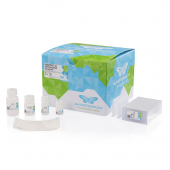
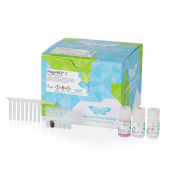
MagnifiQ 16 Total RNA Plus instant kit is designed for automated magnetic isolation of total RNA from various types of biological material in a 16-samples-per-plate format. It contains ready-to-use, reagent-filled plates and all necessary consumables. The MagnifiQ product series is based on automated nucleic acid isolation using magnetic beads. According to the manufacturer, this approach significantly shortens working time and reduces the risk of error compared to manual methods. The isolated material is, according to the manufacturer, suitable for downstream analysis by RT-PCR methods as well as for sequencing. The manufacturer also states that no initial preparation of buffers is required: it is enough to add samples to the plate and the extracted material is available in approximately half an hour. According to the manufacturer, RNA can be isolated from different types of material at the same time with one universal kit and an automated extraction programme.
Features:
Applications:
Kit contents:
Specification:
| Parameter | Value |
|---|---|
| Protocol time | approx. 30 min |
| Elution volume | 100 µl |
| Elution solution | Tris buffer |
| Binding capacity | 30 µg RNA |
| Downstream applications | reverse transcription, RT-PCR, transcriptome sequencing |
| Sample type | Sample size |
|---|---|
| Bacteria G+ (cultures) | up to 2 × 10⁸ bacteria |
| Bacteria G− (cultures) | up to 2 × 10⁸ bacteria |
| Cell cultures | up to 2 × 10⁶ cells |
| Fresh blood (not frozen) | up to 2.5 ml |
| Fresh blood (preserved in PAXgene Blood RNA Tubes) | up to 2.5 ml |
| Solid tissue | 20–50 mg |
Protocol files:
| Device | Protocol name | Installation |
|---|---|---|
| Auto-Pure Mini | MQ-RNA-MI | 1. Create a folder “items” on a USB drive and copy the protocol file to it. 2. Insert the USB drive into a USB slot on the device. 3. On the device screen, go to Settings > System > Transfer > Import. 4. Select the protocol and tap “Import”. |
| Auto-Pure Mini | MQ-RNA-MI | 1. On the device screen, go to Run. 2. Scan the QR code with the device’s scanner. |
| Auto-Pure 32A | MQ-RNA-32A | 1. Create a folder “items” on a USB drive and copy the protocol file to it. 2. Insert the USB drive into a USB slot on the device. 3. On the device screen, go to Settings > Im.&Export > Import. 4. Select the protocol and tap “Import”. |
| Auto-Pure S32 | MQ_RNA_S32 | 1. Create a folder “im_export_protocols” on a USB drive and copy the protocol file to it. 2. Insert the USB drive into a USB slot on the device. 3. On the device screen, go to Protocols > Import. 4. Select the protocol and tap “Import”. |

Genomic DNA isolation
Cells and tissues
Sterile columns
Plant DNA isolation
Dry and fresh tissue
Minicolumn format
Plant DNA isolation
96-sample format
Automated isolation
Universal DNA isolation
Maxicolumn format
Isolation with precipitation
Universal DNA isolation
Various sample types
Minicolumn format
Total RNA isolation
Strip format
No buffer preparation
Universal DNA isolation
No DNA precipitation
Midicolumn format
Universal DNA isolation
16-sample format
No buffer preparation
Viral DNA and RNA
Minicolumn format
Various sample types
Bacterial lysis
Gram-negative and Gram-positive
Add-on kit
Total RNA isolation
16-sample format
No buffer preparation